Step 2: Creating Services (Inside the App Builder / Library) [KOBIL Docs]
Services are the functional building blocks of your SuperApp. These services are later visualized through components and integrated into your app's user interface. All service creation and management occur within the Library section of the App Builder.
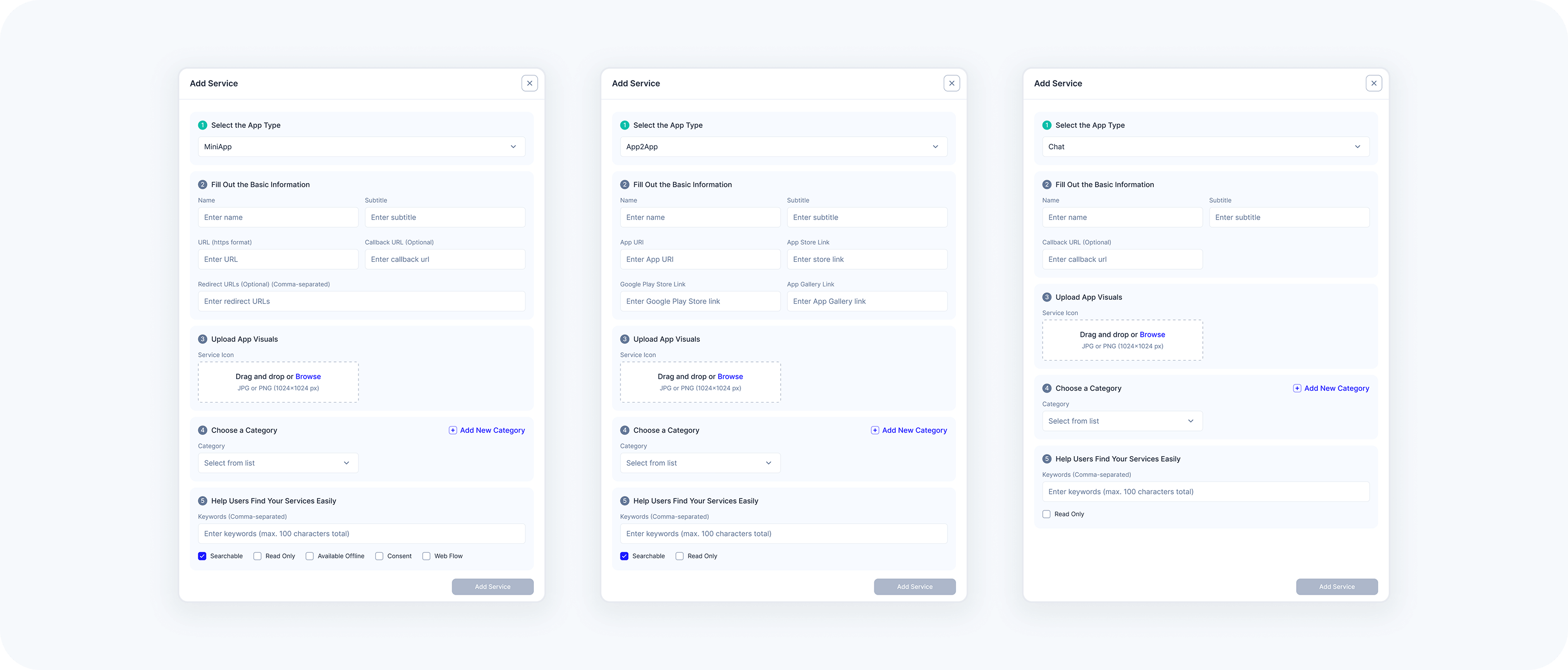
Three types of services are supported: MiniApp, Chat, and App2App. Each type has its own configuration needs.
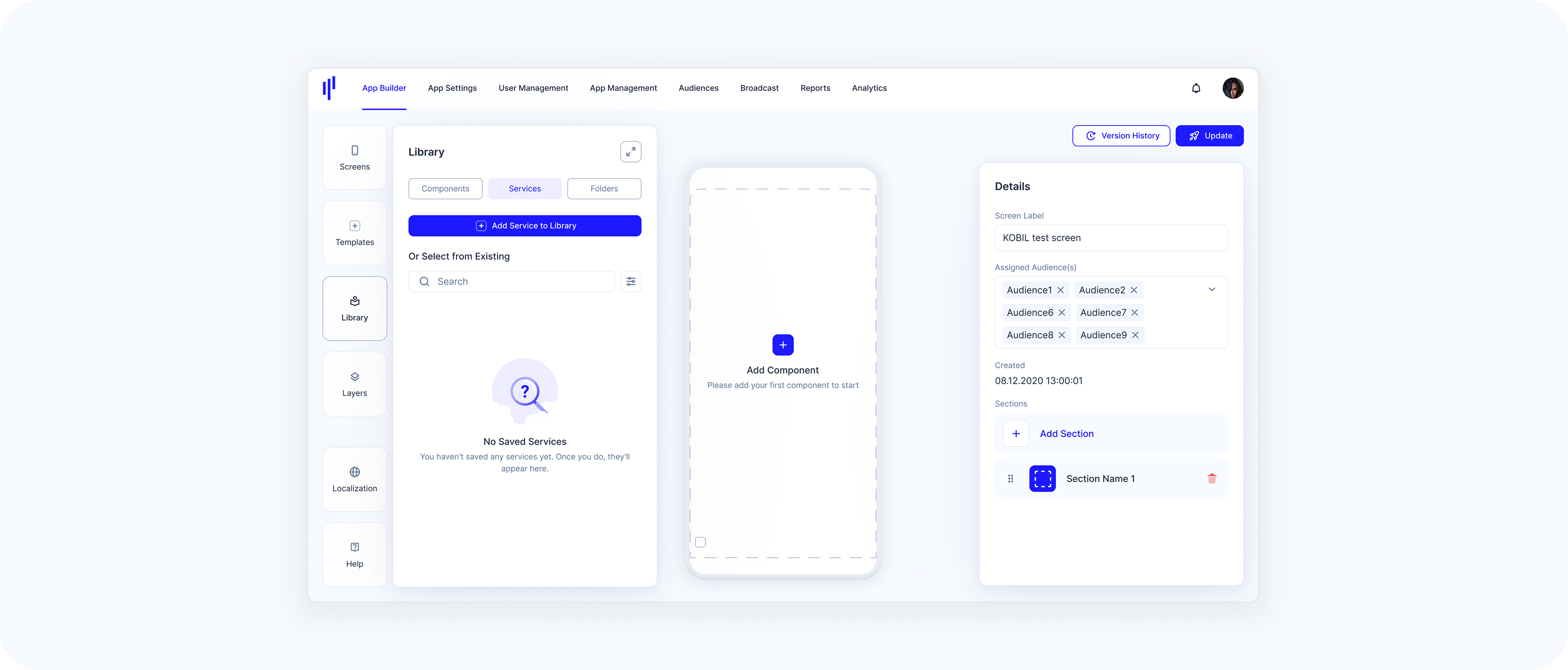
1. Navigate to the Library
Access the App Builder from the top navigation bar in the KOBIL Portal.
Click on the Library panel.
Here, you can manage:
Services: The core functionalities of your app.
Folders: Collections to organize related services.
Components: Visual representations of services.
2. Create a New Service
- Switch to the Services tab (the Components tab is selected by default)
- Click on Add Service to Library / Add Service (Extended View)
Services are modular and reusable. They remain inactive in the app until added to components and placed on a screen.
You can create as many services as needed. All services are stored centrally in the Library.
3. Manage and Reuse Services
- Services can be edited, duplicated, deleted, or organized into folders
- These services become reusable logic units that components will later reference and visualize
Once created, services are not shown in the app until they are added to a component and placed on a screen.